Models: from seeing to doing
A useful vision feature does more than display a camera feed. It helps someone find, identify, or understand what is in front of them. Build that interaction around your own model, then share the application experience across Android and iOS.
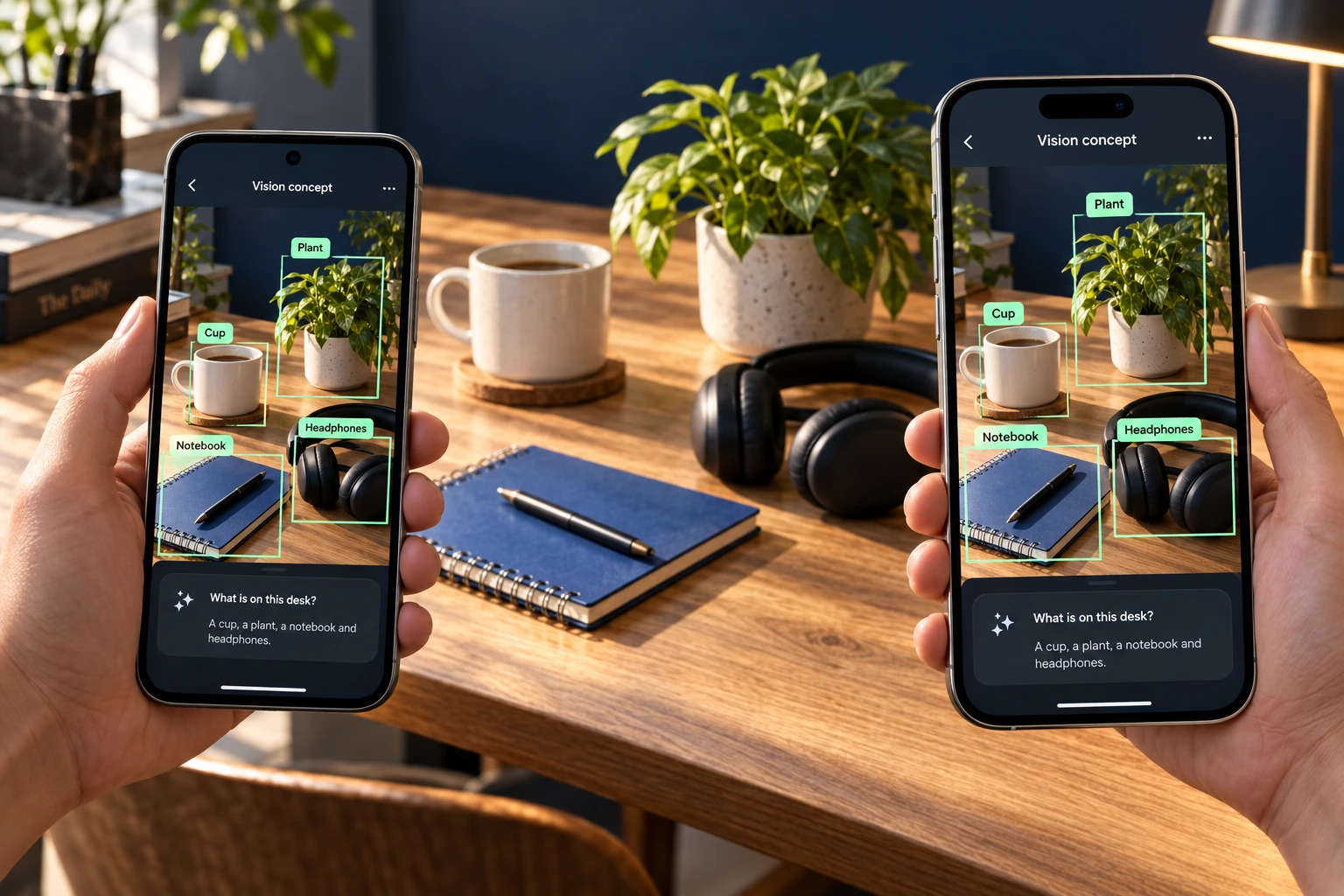
The experience you could build
Someone points their camera at a desk and asks, “Where are my headphones?” Your application identifies relevant objects, highlights a result, and lets the person act on it. The same shared Compose screen can present that interaction on Android and iOS.
Start with a focused object-recognition workflow: camera or picked image → your model → decoded detections → VisionOverlay. Your application decides what a detection means and what happens when the user selects it.
Object detection and vision-language experiences
Object detection supplies object classes and locations when your chosen model supports that task. KMP-Vision provides a common tensor-inference interface for compatible platform models; you provide image preprocessing, model-specific output decoding, and the mapping into overlay shapes. A general inference API does not make every detector compatible automatically.
Visual question answering is a separate integration. A multimodal or vision-language model could power a conversational interface such as “What is on this desk?” The illustration shows that product idea. KMP-Vision does not currently include an LLM/VLM, tokenization, generation loop, or a ready-made visual-chat API. Bring an appropriate model/runtime or service, then use the camera, picker, and shared UI as your application building blocks. If you choose a remote service, images may leave the device; that is a different deployment path from local inference.
Run the working OCR tutorial to learn image handling and overlays, then adapt those pieces to your model integration.
The inference API
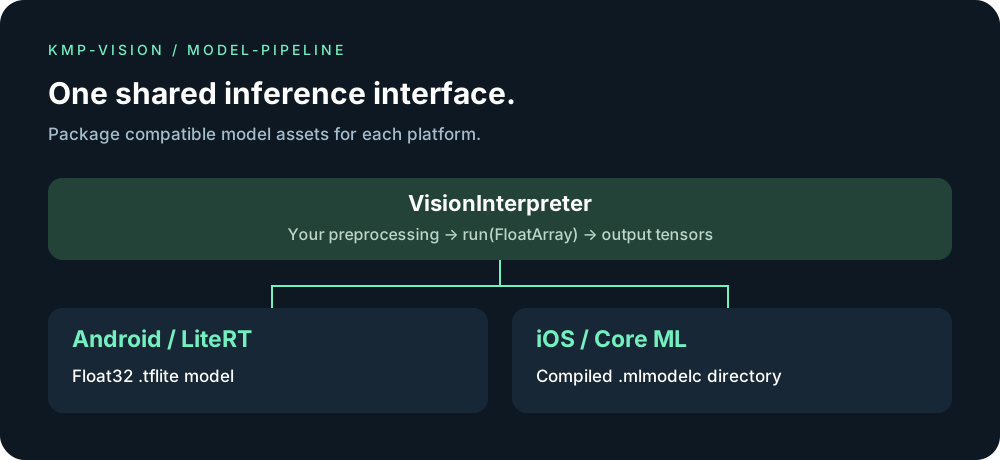
io.github.lamplis:vision-infer is built by :vision-infer. The Kotlin package is io.github.lamplis.vision.infer. loadOptimizedModel(OptimizedVisionModel) picks the file for the current platform when one object holds both the float32 .tflite bytes and the .mlmodelc directory. loadVisionInterpreter loads a model you already have: ModelFormat.Tflite plus bytes on Android, ModelFormat.CoreMl plus a .mlmodelc path on iOS. Both return the same VisionInterpreter. Android runs on LiteRT and keeps the GPU only when a short trial is faster than CPU. iOS runs on Core ML and uses the Neural Engine when preferAccelerator is true. run returns VisionTensor values. The app does not load ONNX bytes at runtime.
Keep one ONNX file
Install the converter once, then turn that file into the two models the app loads:
pip install -r tools/requirements-vision.txt
./gradlew :vision-infer:convertVisionOnnx -PvisionOnnx=model.onnx
The task writes android/<stem>.tflite and ios/<stem>.mlmodelc under vision-infer/build/vision-models. Pass both to loadOptimizedModel. Android runs the TFLite file on LiteRT and uses the GPU when a short trial is faster than CPU. iOS runs the Core ML bundle on the Neural Engine. The app does not load ONNX bytes at runtime.
Models you already have
Ship a float32 .tflite and a compiled .mlmodelc yourself. loadVisionInterpreter returns the same VisionInterpreter on both platforms. run returns VisionTensor values. Android still uses LiteRT and keeps the GPU when a short trial is faster than CPU. iOS still uses the Neural Engine when preferAccelerator is true. Use loadOptimizedModel when one OptimizedVisionModel holds both files.
// Android: float32 .tflite bytes
loadVisionInterpreter("", ModelFormat.Tflite, tfliteBytes)

// iOS: compiled .mlmodelc directory
loadVisionInterpreter(mlmodelcPath, ModelFormat.CoreMl, null)
Scope and integration
The diagram describes the model-loading path. The phone artwork above illustrates an imagined product; it is not an inference screenshot. Vision Lab currently demonstrates OCR and overlays and does not bundle an inference model. You supply a compatible model, its preprocessing, and interpretation of output tensors. ONNX conversion depends on supported operators and the converter toolchain. Validate your model on both platforms and measure performance on your target devices.